
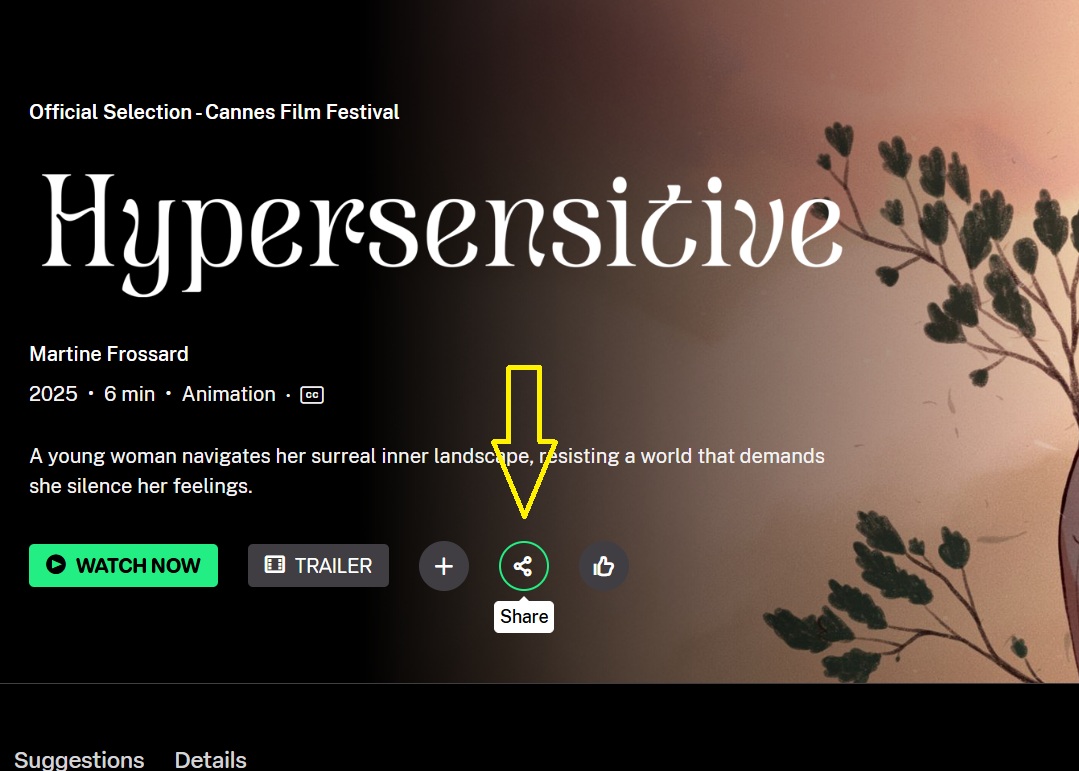
To embed one of our videos, click the share button located next to the like button, as shown in the image below.
A black window labeled SHARE will appear, along with two white boxes that each have a COPY button. Click the bottom COPY button, as indicated in the image.
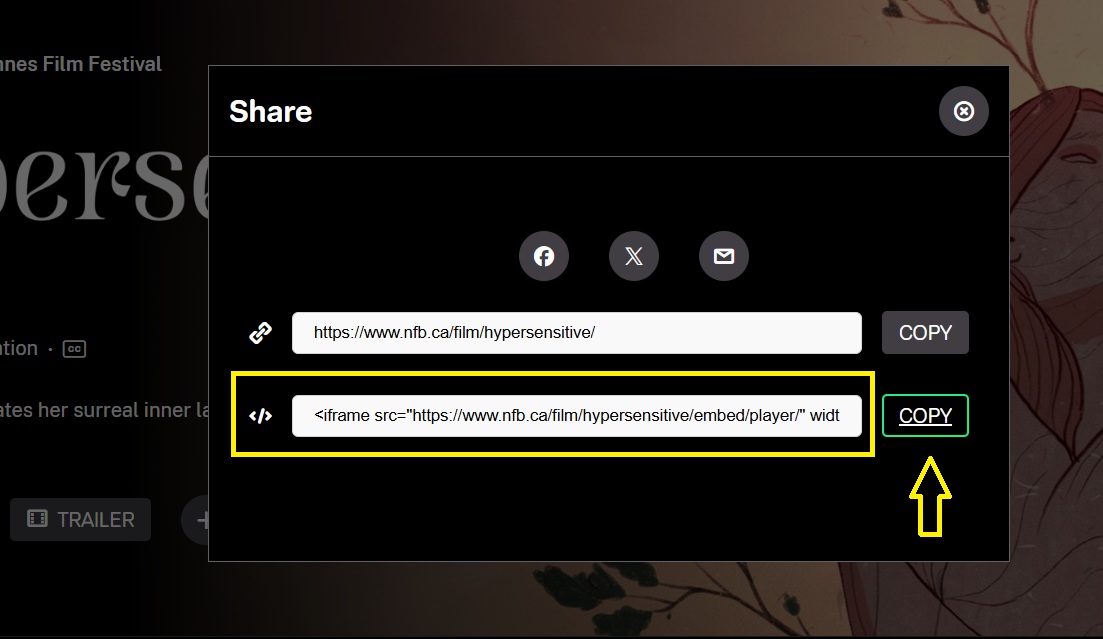
You can then paste the embed code into the webpage of your choice to display the video.